OpenIT
Open Source · macOS & Windows

An IT helpdesk that runs on CLAUDECODE .

Claude handles tickets, provisions access, and learns how you work — so you spend your day on the hard problems, not the queue.

32 downloads · v1.2.5

For IT · Desktop App

Run Claude Code
on your desktop.

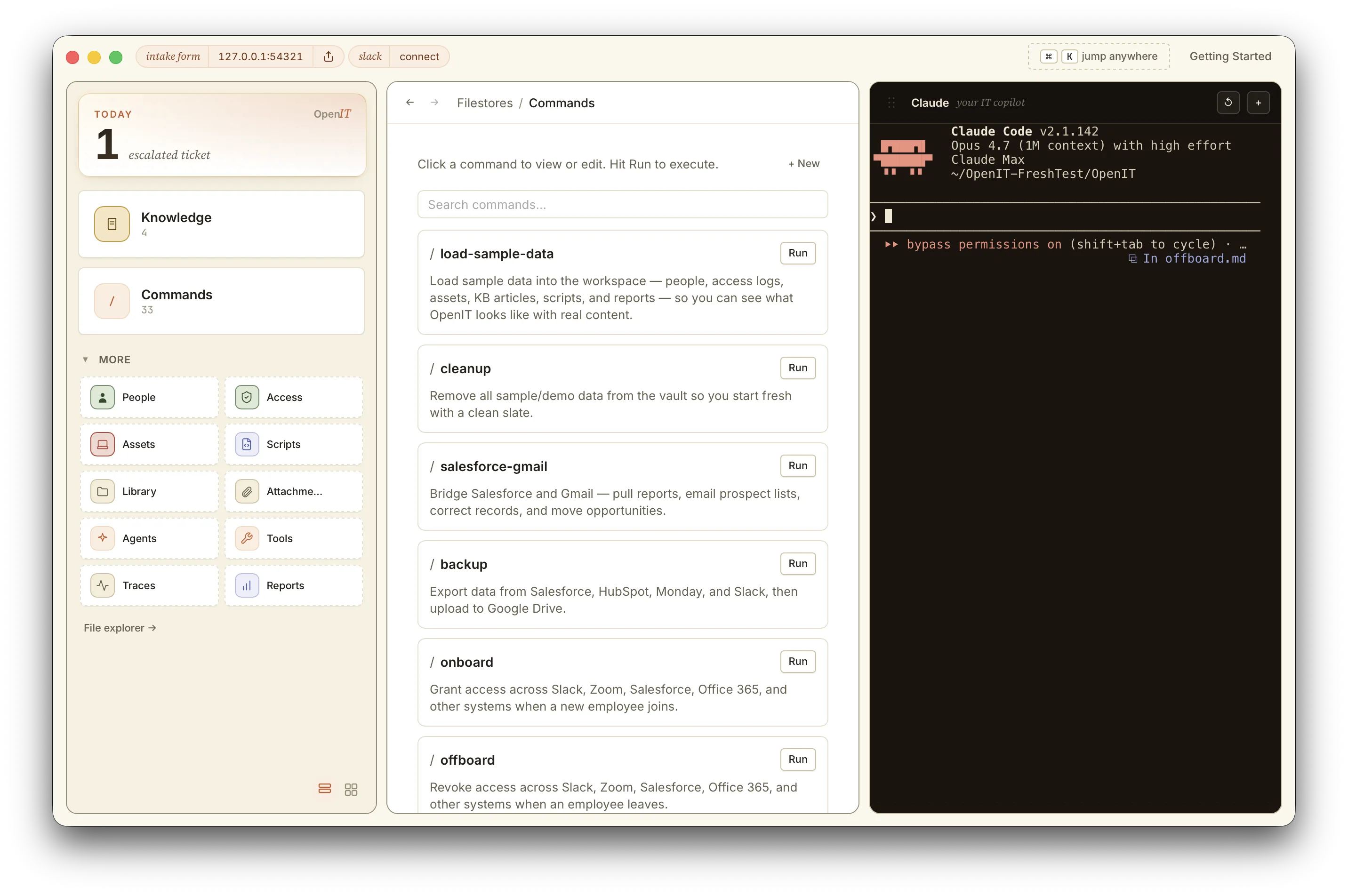
Install OpenIT on your Mac. Claude works alongside you in the terminal — reading tickets, shaping workflows, writing connectors.

~/OpenIT/acme $
→ claude code · ready
→ 5 skills loaded
→ vault: ~/OpenIT/acme
For Employees · Slack

Ask in Slack.
Get answers fast.

No new app to learn. Employees ask in Slack — Claude answers, or routes it to you. Runs locally via Socket Mode.

marcus · #it-help
need access to the analytics dashboard please
openit · just now
Granted — Looker viewer role added. Try refreshing.
§01 The thesis

Configure in
Claude Code.
Not UI.

Every other ITSM is configured the same way: clicky admin screens, proprietary workflow builders, vendor agents you have to learn. The configuration is theirs.

Claude Code is the operating system.

OpenIT inverts it. You configure in plain English with Claude Code; the result is plain files on your machine. Open them. Edit them. Take them with you.

§02 Native access

Your machine.
Claude's toolkit.

Claude accesses tools the same way you do — CLI tools on your machine, MCP servers, slash commands, and direct file access. No middleware, no vendor lock-in.

CLI tools
brew install gh, aws, gcloud, kubectl, and anything else
MCP servers
One-click install from the Tools station
Slash commands
Custom skills and automations you define
File access
Direct read/write to your vault on disk
Slack
Local bot via Socket Mode — no public endpoint needed
Scripts
TypeScript, Python, Bash — Claude writes and runs them
Anything else
Claude writes the integration if it's missing.

No proprietary connectors. No vendor dashboards. If you can run it in a terminal, Claude can use it. The investigation, the fix, and the article that documents it all happen in one conversation.

§03 How it learns

Answer once.
Claude handles the next one.

The first time someone asks something Claude hasn't seen, it escalates to you. After you answer, Claude captures the answer and the workflow — so the next time, it just handles it.

Day 1 · #it-help
marcus
i can't log in
openit · escalating to you
Haven't seen this one before.
you
reset your password at company.okta.com/reset
Automation saved
skills/login-reset.md · KB article published
three days later
priya
can't log in either, what do i do
openit · auto-resolved
Reset your password at company.okta.com/reset.

Every question Claude can't answer becomes a saved automation. Two weeks in, your queue runs differently.

§04 What gets saved

Done once.
Saved forever.

Each fix becomes a file you can read, edit, and reuse — plain instructions when that's enough, code when it's not.

skills/login-reset.md
# Login & password reset
When someone says they can't log in:
1. Confirm their email is on file
2. Send the reset link from company.okta.com/reset
3. If no email arrives in 5 min, escalate
Skill · plain English
scripts/offboard.ts
async function offboard(email) {
await okta.deactivate(email)
await jamf.unenroll(email)
await drive.transferOwnership(email)
await slack.archiveDMs(email)
}
Script · for code

Claude builds them. Then runs them — when you ask, or automatically when a familiar request comes in.

§05 Open source

Open source.

Apache 2.0. Fork it, ship it, make it yours. macOS and Windows today, Linux coming — contributions welcome.

32 downloads · v1.2.5